Tips for Creating a Relaxing Home Office Environment
Creating a relaxing home office environment is essential for maintaining focus, reducing stress, and enhancing overall productivity. Whether you’re working remotely full-time or just occasionally, your workspace can significantly impact your mood and output. The good news is that small changes can make a big difference. In this post, we’ll explore practical tips for designing a home office that feels calm, inviting, and conducive to getting work done.
Why a Relaxing Home Office Matters
A cluttered or poorly designed workspace can increase anxiety and decrease motivation. On the other hand, a thoughtfully arranged home office helps you feel refreshed and engaged. It supports concentration while also encouraging breaks and relaxation when needed. The goal is to balance function with comfort, making your office a space you want to spend time in each day.
1. Choose the Right Location
Consider natural light
Natural light positively influences mood and energy levels. Position your desk near a window if possible, so you can enjoy daylight and views outside. Avoid setting up directly in front of a bright window, which might cause glare on your screen.
Minimize distractions
Find a quiet nook or separate room where household noise or interruptions are less likely. Inform family or roommates about your work schedule to reduce disturbances during important tasks.
2. Invest in Comfortable, Supportive Furniture
Ergonomic chair
An adjustable chair with good lumbar support can prevent back and neck pain. Look for one that allows you to sit with your feet flat on the floor and your arms at a natural angle.
Proper desk height
Your desk should be at a height that lets you keep your wrists straight and your elbows close to your body. This setup helps reduce strain during typing or writing.
Add a footrest
If your feet don’t rest flat on the floor, a footrest can improve posture and comfort.
3. Organize and Declutter Your Space
Keep essentials close
Keep your most-used items—like pens, notepads, and chargers—within easy reach to avoid unnecessary distractions.
Use storage solutions
Shelves, drawers, and organizers help keep your desk surface tidy. Labeling containers or files adds clarity and speeds up finding what you need.
Declutter regularly
Spend a few minutes at the end of each day clearing unnecessary papers and items to maintain a clean workspace.
4. Enhance the Atmosphere with Colors and Decor
Choose calming colors
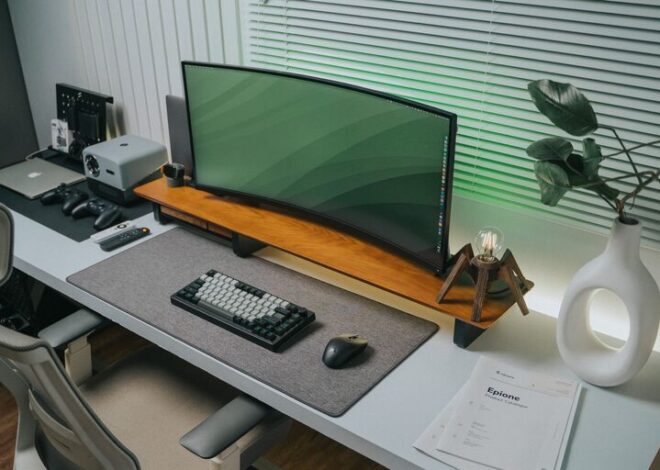
Soft blues, greens, or neutrals tend to create a peaceful atmosphere that fosters focus. Avoid overly bright or busy patterns that might cause visual stress.
Add plants
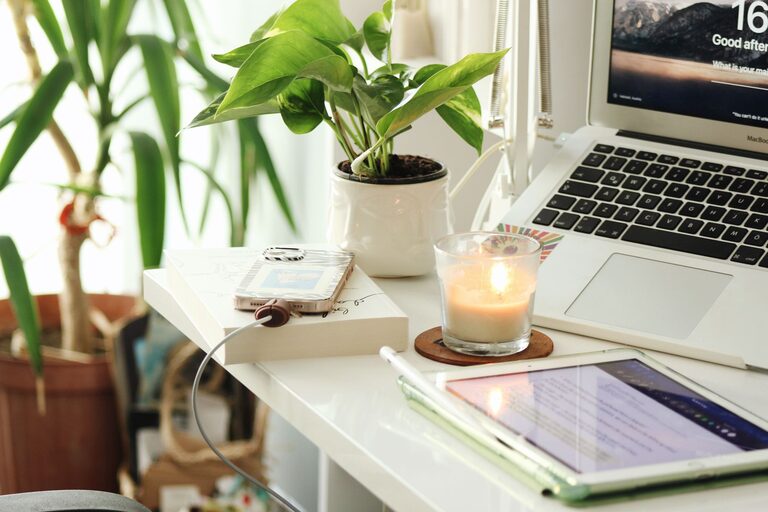
Plants can improve air quality and bring a touch of nature indoors, helping reduce anxiety and increase concentration.
Personalize tastefully
Including a few personal touches—like artwork, photos, or meaningful objects—can make your office feel welcoming without cluttering it.
5. Optimize Lighting
Combine natural and artificial light
In addition to daylight, use adjustable desk lamps or overhead lights with warm, soft bulbs. Bright white lights can feel harsh during long hours.
Use task lighting
Focused lighting on your work area reduces eye strain during detailed tasks and creates a cozy ambience.
6. Control Noise Levels
Use noise-cancelling headphones
These can help block out distracting sounds, especially if you can’t avoid shared living spaces.
Add soft textures
Rugs, curtains, and cushions absorb sound and improve acoustics.
Play background music or white noise
Soft instrumental music or white noise apps can enhance concentration for some people.
7. Encourage Movement and Breaks
Include a standing option
A sit-stand desk or adjustable desktop converter lets you change positions throughout the day, reducing fatigue.
Create a dedicated break spot
If space allows, have a small area for stretching, brief walks, or relaxation away from your desk.
Set reminders
Use timers or apps to encourage regular breaks and help maintain a healthy workflow.
8. Manage Technology Efficiently
Declutter cables
Use cable organizers to keep cords neat and out of sight. This also prevents tangling and potential hazards.
Keep screens clean
A smudge-free monitor reduces eye strain and maintains clarity.
Limit screen glare
Position screens to minimize reflections and consider anti-glare screen protectors.
9. Maintain Air Quality and Comfort
Ventilate regularly
Open windows when possible for fresh air and to maintain a comfortable temperature.
Use air purifiers or humidifiers
These improve air quality, especially in enclosed spaces.
Adjust temperature
Keep your home office at a temperature that feels comfortable, neither too hot nor too cold.
—
Creating a relaxing home office is about making intentional choices that support your work habits and well-being. By incorporating these tips, you can build a space that inspires productivity, reduces stress, and makes working from home an enjoyable experience. Start small and adjust your environment to find what works best for you. Remember, your ideal office is a reflection of both your needs and personality. Happy decorating!